
West Coast POS

Square POS logo for point of sale systems, payment processing, and business checkout solutions.

Authorized Square Retailer

Square POS

Retail and Restaurant POS System

Square POS Demos, Setup, Hardware and Local Support for Businesses

Square POS is one of the most recognized point of sale systems for businesses that need a simple way to accept payments, manage sales, track customers, sell online, organize staff, and run daily operations.

For many business owners, the challenge is not knowing whether Square exists.

The real challenge is knowing which Square setup fits the business, what hardware is needed, how payments should be configured, which features matter, and how to train the team before going live.

West Coast POS is a Square POS retailer helping local businesses review Square options, schedule demos, request information, compare hardware, set up their system, train staff, and get support before and after launch.


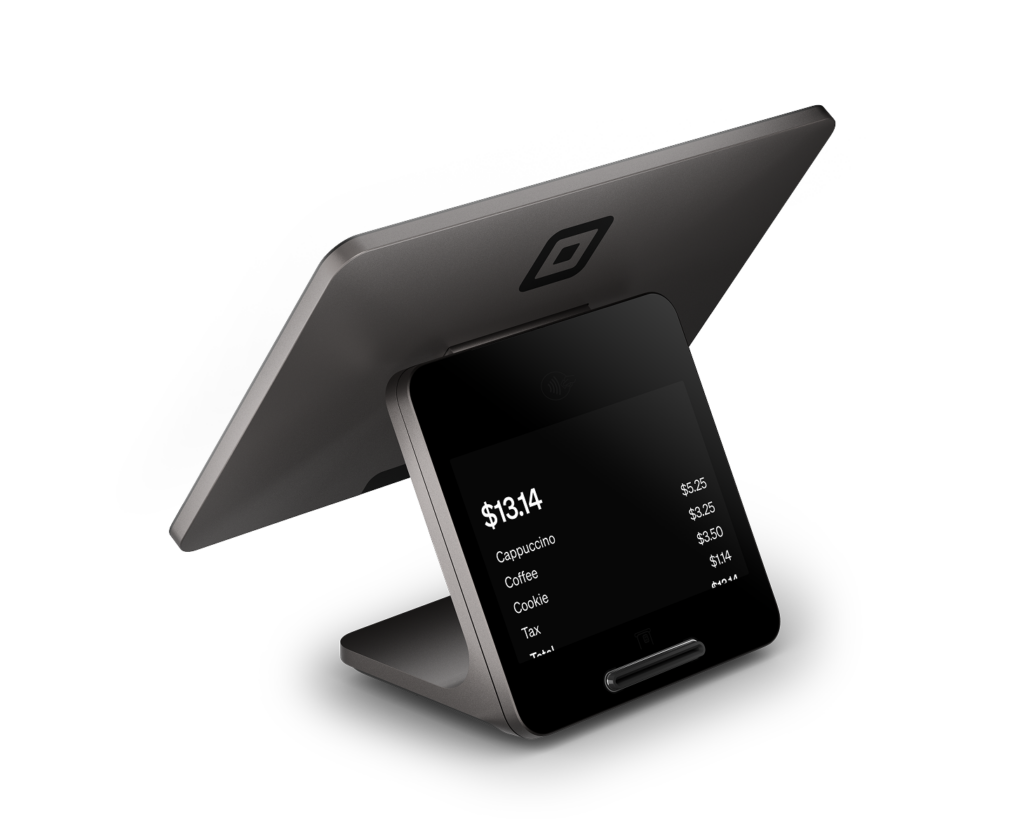
Square Terminal payment device for accepting chip cards, contactless payments, mobile wallets, and business checkout transactions.

What Is Square POS?

Square POS is a point of sale system that helps businesses accept payments, manage checkout, track sales, organize items, and use tools for different business types.

Square offers POS options for restaurants, retail stores, appointment based businesses, service providers, mobile businesses, and small businesses that need flexible payment and business management tools.

Depending on the business, Square may support:

  • In person payments
  • Online payments
  • Retail checkout
  • Restaurant ordering
  • Appointment booking
  • Inventory tools
  • Customer profiles
  • Gift cards
  • Loyalty programs
  • Invoices
  • Online ordering
  • Staff tools
  • Reporting
  • Hardware options
  • Mobile payments
  • Contactless payments

Square can be simple enough for a small business starting out, while still offering more advanced tools for businesses that need dedicated restaurant, retail, or appointment workflows.

Why Work With a Square POS Retailer?

Many businesses sign up for Square on their own, then later realize they need help choosing hardware, setting up items, training staff, understanding payment options, connecting printers, or deciding which Square plan makes sense.

Working with a Square POS retailer gives your business a local point of contact before you make a decision.

West Coast POS can help you review:

-Which Square POS option fits your business
-Which hardware setup makes sense
-Whether you need Square for -Restaurants, Square for Retail, or Square Appointments
-How your checkout should be set up
-How your products, services, menus, or categories should be organized
-How payments should work
-What staff needs to learn before launch
-What support you may need after setup

The goal is to help you make a better decision before buying hardware or changing your current system.

Square POS for Restaurants

Square for Restaurants is designed for food and beverage businesses that need restaurant ordering, payments, menus, service workflows, and reporting.

Square says its restaurant POS can help businesses take orders and payments at tables, in line, or on the go. It also includes tools that can support restaurant operations such as menus, ordering, payments, gift cards, loyalty, and business management.

Square POS may be a fit for:

  • Restaurants
  • Cafes
  • Coffee shops
  • Quick service restaurants
  • Food trucks
  • Bakeries
  • Pizzerias
  • Bars
  • Takeout businesses
  • Counter service restaurants
  • Delivery focused restaurants

A restaurant may need help with menu setup, modifiers, kitchen printers, payment terminals, online ordering, staff permissions, tips, reporting, and go live training.

West Coast POS can walk through your restaurant workflow and help determine whether Square is the right fit.

Square POS for Retail Stores

Square for Retail is built for businesses that sell products and need checkout, inventory, customer tools, hardware, and reporting.

Square describes its retail POS as a system that can help stores take payments, track inventory, manage cash flow, track performance, keep customers coming back, schedule and pay staff, and connect sales across checkout points.

Square Retail may be useful for:

Boutiques
Gift shops
Clothing stores
Liquor stores
Convenience stores
Smoke shops
Specialty retail stores
Pop up shops
Markets
Small local retailers
Multi location retail businesses

Retail businesses often need help with product categories, barcode scanning, inventory setup, taxes, discounts, returns, exchanges, customer profiles, and reporting.

A Square POS demo can help you see how your products and checkout process would work before making a decision.

Square POS for Salons, Barbers, Beauty and Service Businesses

Square Appointments is designed for businesses that schedule clients, manage services, accept payments, and organize staff calendars.

Square says its appointment tools can help businesses schedule appointments, create online booking options, send automatic reminders, accept payments, keep cards on file, manage cancellation policies, use gift cards, and support service based workflows.

Square Appointments may be a fit for:

  • Salons
  • Barbershops
  • Nail salons
  • Med spas
  • Massage businesses
  • Personal trainers
  • Consultants
  • Pet groomers
  • Tattoo studios
  • Service based businesses

Appointment based businesses may need help with service menus, staff schedules, online booking, deposits, no show protection, client profiles, checkout, retail add ons, and payment setup.

West Coast POS can help you review whether Square Appointments fits the way your business books and serves customers.


Square Payment Processing

Square is known for combining POS software and payment processing in one platform.

Businesses can use Square to accept payment types such as chip cards, contactless payments, mobile wallets, online payments, invoices, and other payment methods depending on the setup.

Square for Retail says businesses can accept major payment types in store and online, and Square Appointments supports payment options such as credit cards, debit cards, Apple Pay, Google Pay, Square Gift Cards, Afterpay, and prepaid packages for booking related payments.

For many business owners, the important question is not only whether they can take payments.

The important question is whether the full payment setup makes sense for their volume, business type, hardware, online sales, in person checkout, tips, invoices, deposits, and reporting needs.

West Coast POS can help review your payment workflow and walk you through available Square options.

Inventory, Reporting and Business Visibility

A POS system should help business owners understand what is happening inside the business.

Square tools can support sales reporting, inventory, product tracking, staff tools, customer engagement, and performance visibility depending on the Square product and plan.

That can help answer questions like:

What sold today?
Which products are moving fastest?
Which menu items are popular?
Which services are booked most often?
Which employees are active on the system?
What payment types are being used?
How are online and in person sales performing?
What needs to be reordered?
Which customers are coming back?

Better visibility helps owners make better decisions about staffing, inventory, pricing, customer follow up, and operations.

Square POS Setup and Training

A Square POS system can be simple to start, but a clean setup still matters.

West Coast POS can help businesses with:

  • Square POS demos
  • Square hardware review
  • Square account setup guidance
  • POS station setup
  • Payment terminal setup
  • Item setup review
  • Menu setup review
  • Service setup review
  • Inventory setup review
  • Staff permissions
  • Basic report walkthroughs
  • Training for owners and managers
  • Training for staff
  • Go live support
  • Ongoing local support

The goal is to help your business feel prepared before Square becomes part of daily operations.

Is Square POS Right for Your Business?

Square POS may be a good fit if your business wants:

  • A recognized POS platform
  • Simple payment acceptance
  • Flexible hardware options
  • Retail tools
  • Restaurant tools
  • Appointment booking tools
  • Online selling options
  • Inventory tracking
  • Customer profiles
  • Gift cards
  • Loyalty tools
  • Invoices
  • Staff tools
  • Reporting
  • Mobile payment options
  • Local setup guidance

It may be especially worth reviewing if you are starting a new business, replacing an older POS system, opening another location, adding online ordering, adding appointment booking, or looking for a simpler payment and checkout setup.

Square POS for New and Growing Businesses

Square can be attractive for businesses that want to start quickly, test a new concept, or avoid a complicated setup.

That may include:

  • New restaurants
  • New retail stores
  • New salons
  • Pop up shops
  • Food trucks
  • Market vendors
  • Mobile service businesses
  • Second locations
  • Seasonal businesses
  • Businesses adding online sales

Even when a system is easy to start, it is still smart to review the setup before choosing hardware or going live.

A demo can help you understand what Square can do, what it may not do, and whether it fits your daily workflow.

Compare Square POS Before You Decide

Square may be a strong fit for many businesses, but it is not the right fit for every situation.

Some businesses may need a different POS system based on advanced restaurant needs, high volume retail inventory, complex employee controls, dispensary workflows, liquor store workflows, merchant pricing goals, offline requirements, or integration needs.

West Coast POS works with multiple POS systems, which means the conversation does not have to start with forcing one platform.

The better approach is to review the business first, then match the system to the operation.

That may include comparing Square with other POS options based on:

  • Business type
  • Sales volume
  • Payment needs
  • Hardware needs
  • Inventory complexity
  • Restaurant workflow
  • Appointment workflow
  • Online ordering needs
  • Reporting goals
  • Support expectations
  • Budget
  • Growth plans

This review first approach helps business owners make a more confident decision.

Local Square POS Support in Southern California

Local businesses need more than software.

They need someone who can explain options, review hardware, help with setup, train the team, and support the business after launch.

West Coast POS provides Square POS demos, setup guidance, hardware consultation, training, and local support for businesses in Ontario, Rancho Cucamonga, Fontana, Riverside, San Bernardino, Chino, Upland, Pomona, the Inland Empire, and surrounding Southern California areas.

Schedule a Square POS Demo

Square POS can be a strong option for restaurants, retail stores, salons, service businesses, mobile businesses, and local merchants that need payments, checkout, online tools, inventory, booking, reporting, and customer management.

The best next step is to schedule a demo or request information so you can see how Square may fit your business before buying hardware or switching systems.

Frequently Asked Questions

Square POS is a point of sale system that helps businesses accept payments, manage checkout, track sales, organize items, and use business tools for restaurants, retail stores, appointment based businesses, mobile businesses, and service providers.

Yes. West Coast POS is a Square POS retailer helping local businesses request information, schedule demos, review hardware, set up Square POS, train staff, and get local support.

Square POS can be used by restaurants, cafes, food trucks, retail stores, salons, barbershops, nail salons, service businesses, mobile businesses, pop up shops, and small businesses that need payment and checkout tools.

Yes. Square for Restaurants is designed for food and beverage businesses and can support restaurant ordering, payments, menus, service workflows, and reporting.

Yes. Square for Retail supports retail checkout, payments, inventory tracking, customer tools, hardware, online sales, performance tracking, and staff tools.

Yes. Square Appointments supports appointment scheduling, online booking, reminders, payments, cards on file, cancellation policies, client profiles, and service based workflows.

Yes. West Coast POS can help with Square POS demos, hardware review, setup guidance, payment terminal setup, item setup review, menu setup review, staff permissions, basic report walkthroughs, training, and local support.

That depends on your business type, sales volume, hardware needs, payment workflow, inventory complexity, reporting goals, staff needs, and support expectations. West Coast POS can help compare Square with other POS systems before you decide.

West Coast POS provides Square POS support for businesses in Ontario, the Inland Empire, and throughout Southern California.

You can schedule a Square POS demo by contacting West Coast POS and requesting a Square POS consultation for your business.

Scroll to Top