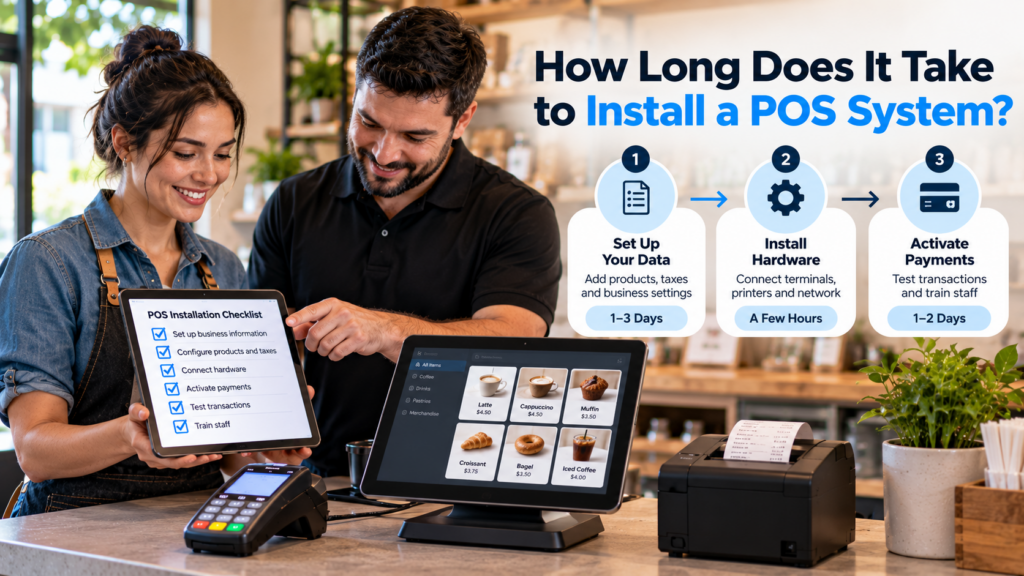
nstalling a POS system involves several stages. Understanding them makes it easier to schedule work and identify potential delays.
1. Planning and Equipment Review
Before installation, the business and provider should review the location, checkout layout, and required equipment.
This includes identifying:
This planning stage may be brief for a simple setup but more extensive for restaurants or businesses with several checkout stations.
A provider should also confirm compatibility before equipment is ordered.
Discovering that a payment terminal or printer will not work with the selected POS can delay the project.
2. Account and Payment Processing Setup
POS software and payment processing may require separate activation or approval steps.
Depending on the provider, the business may need to submit ownership information, banking details, and other verification documents.
Payment approval timelines vary.
A business should complete these requirements as early as possible rather than waiting until hardware installation day.
A POS terminal can be installed and functioning while the business is still unable to accept live card payments.
That distinction matters when planning an opening or system changeover.
3. Software and Product Configuration
Software configuration often takes more preparation than plugging in the hardware.
A retail business may need to enter products, prices, barcodes, categories, taxes, and inventory quantities.
Restaurants may need menu items, modifiers, kitchen routing, employee roles, and tipping settings.
The more information involved, the more time the business should allow for setup and verification.
Organized product or menu data can help reduce delays.
If you’re switching from another POS platform, ask which information can be imported and which items need to be recreated manually.
4. Hardware Installation
Once the business is prepared, the physical equipment can be installed.
This may involve mounting terminals, connecting payment readers, setting up receipt printers, attaching cash drawers, and confirming network connectivity.
A single register with compatible accessories is generally simpler to install than several checkout stations with kitchen displays and handheld devices.
Physical installation can often be scheduled during slower hours or when the business is closed.
However, device installation alone does not mean the POS is ready for customers.
5. Transaction Testing
Before going live, every important workflow should be tested.
That includes:
Standard sales
Supported card payments
Cash transactions
Receipt printing
Discounts
Taxes
Refunds and voids
Barcode scanning
Kitchen order routing
Inventory updates
End-of-day reports
Testing helps identify issues before they affect customers.
It is often worth spending additional time verifying the setup rather than launching with unresolved problems.
6. Employee Training and Go-Live
Employees need to understand the new system before using it during a busy shift.
Cashiers should know how to enter sales, accept payments, print receipts, and request manager assistance.
Managers may need training on reports, cash handling, refunds, employee permissions, and troubleshooting.
The final stage is go-live, when the business begins using the new POS for normal transactions.
A well-organized launch includes knowing who to contact if problems appear during the first few shifts.