
POS Employee Training: How to Get Your Staff Ready
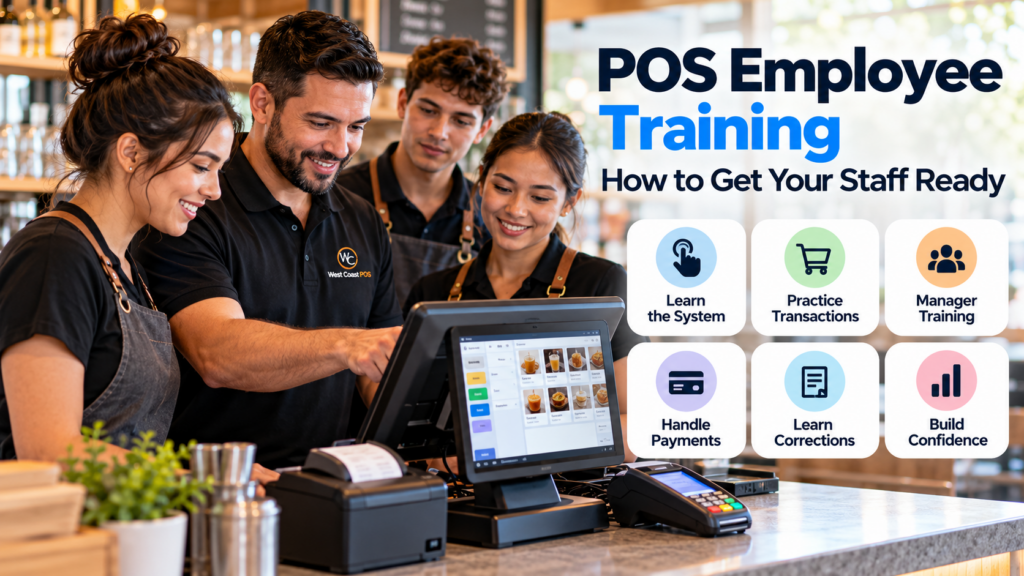
A new point of sale (POS) system can offer faster checkout, better reporting, easier inventory tracking, and stronger control over daily transactions. But those benefits depend on the people using it.
Imagine a busy restaurant during the Friday dinner rush. A server can’t find a menu modifier, a customer wants to split a check, and the kitchen hasn’t received an order. Meanwhile, the manager is trying to figure out why the receipt printer stopped working.
The technology may be capable of handling every situation, but if employees don’t understand the workflow, service slows down.
Effective POS employee training teaches staff how to log in, enter orders, process payments, handle common mistakes, use connected hardware, and follow the correct procedures for refunds, discounts, and daily closeout. Managers also need training on permissions, reporting, inventory, and troubleshooting.
The goal isn’t to turn every employee into a technology expert. It’s to make everyday transactions feel familiar before the business gets busy.
Whether you’re opening a new location, switching systems, or bringing new employees on board, this guide explains how to create a practical POS staff training process that supports your team.
How Do You Train Employees on a POS System?
The best way to train employees on a POS system is to combine a short demonstration with supervised practice and real-world transaction scenarios.
A practical training process follows six stages:
Introduce the POS layout, hardware, and employee login.
Demonstrate a complete sale or customer order.
Let employees practice transactions themselves.
Teach corrections, refunds, discounts, and manager approvals.
Practice common problems, including declined payments and printer issues.
Verify each employee’s readiness before allowing independent checkout.
Training should match the employee’s role. A cashier doesn’t need the same instruction as a restaurant manager, and a server may use different features than a retail associate.
Employees should leave training knowing what they are allowed to do, how to complete their normal tasks, and when to ask for assistance.
Why POS Staff Training Matters
A POS system is involved in some of the most important interactions between your business, employees, and customers.
It records sales, calculates totals, communicates with payment devices, and may update inventory or send orders to a kitchen.
When employees are unfamiliar with the system, small issues can create unnecessary delays.
Faster, More Consistent Checkout
Employees who know where to find products, modifiers, and payment options can move through transactions more confidently.
That matters when a restaurant has a line of customers waiting or a retailer is dealing with several purchases at once.
The objective isn’t simply speed. It’s completing transactions accurately without requiring a manager for every routine question.
Fewer Transaction Mistakes
Incorrect products, duplicate orders, forgotten modifiers, and improperly applied discounts can create confusion for customers and staff.
Hands-on POS training gives employees a chance to make and correct mistakes in a controlled environment rather than during live service.
Stronger Employee Accountability
Staff should understand which transactions require manager approval and why certain functions are restricted.
Individual employee accounts and appropriate permissions can help managers identify activity and maintain clearer records.
For example, Square’s documentation distinguishes personal employee passcodes from shared team passcodes and explains how individual credentials can support activity tracking. The available controls depend on the POS platform and subscription.
Better Customer Experience
A customer shouldn’t have to wait while an employee searches through an unfamiliar screen to find a basic product or complete a refund.
Training helps employees focus on the customer rather than the equipment.
Smoother POS Transitions
Switching POS systems changes familiar habits. Even experienced employees may struggle when menus, buttons, permissions, or payment steps are different.
Training before launch gives the team time to learn the new workflow without the pressure of a busy shift.
What Should POS Employee Training Include?
Not every business needs the same features, but most employees should understand the basic checkout process.
| Training area | What employees should know |
|---|---|
| Employee login | How to access the POS using approved credentials |
| Product or menu navigation | How to locate and select the correct items |
| Barcode scanning | How to scan products and address unreadable barcodes |
| Order entry | How to add, edit, or remove items using approved procedures |
| Payment processing | How to accept supported payment methods |
| Discounts and tips | How to apply authorized adjustments correctly |
| Receipts | How to print, send, or reprint receipts |
| Refunds and voids | When to request manager approval |
| Connected equipment | How to use printers, cash drawers, and other devices |
| Troubleshooting | What to do when a transaction or device has a problem |
| End-of-shift tasks | How to follow assigned closeout procedures |
Training shouldn’t stop at showing employees which buttons to press.
They also need to understand the correct sequence of events and how each action affects the customer’s transaction.
For example, a restaurant employee should know whether an order has already been sent to the kitchen before attempting to correct it.
A retail employee should know whether a refund requires a manager’s credentials.
These operational details are what make POS training useful.
Step 1: Introduce the POS Hardware and Screen Layout
Start by showing employees the equipment they will use during a typical shift.
This may include a touchscreen terminal, tablet, payment reader, receipt printer, cash drawer, barcode scanner, or kitchen display.
Explain what each device does and how it connects to the normal checkout process.
Employees should know where to find the main menu, product categories, transaction history, payment screen, and help options.
Keep this introduction short and focused on their responsibilities.
There’s little value in teaching a new cashier every administrative feature when they haven’t learned how to complete a normal sale.
Practice Exercise: Find the Right Product
Ask the employee to locate three different products or menu items without assistance.
For a retail store, use products from different categories.
For a restaurant, ask them to locate a drink, a food item, and an item with modifiers.
Once they can navigate the screen comfortably, move on to transactions.
Step 2: Practice a Complete Sale From Start to Finish
A demonstration is useful, but employees learn the workflow by performing it themselves.
Have the trainer complete one example sale while explaining each action.
Then let the employee repeat the process.
A basic practice transaction should include:
Logging in.
Selecting or scanning a product.
Confirming the correct price and quantity.
Reviewing applicable taxes and discounts.
Selecting the appropriate payment method.
Completing the provider-approved test transaction.
Printing or sending a receipt.
Confirming that the order is recorded correctly.
Use the POS provider’s training or demonstration mode where available.
If the system requires real transactions for testing, follow the provider’s approved process and understand whether any fees or refunds apply.
Repeat the exercise until the employee can complete the sale without relying on step-by-step instructions.
Step 3: Train Employees on Discounts, Refunds and Voids
Normal transactions are only part of the job.
Employees also need to understand what happens when a customer changes an order, wants a refund, or questions a price.
These situations can become confusing if the business doesn’t establish clear procedures.
Training should answer:
Can employees apply discounts without approval?
Who can authorize refunds?
What is the difference between correcting an order and voiding a transaction?
When should a manager become involved?
How are refunds and adjustments recorded?
What should employees tell customers while waiting for approval?
Not every employee needs permission to perform every function.
A cashier may be able to correct an item before payment but require a manager to approve a completed transaction refund.
The exact workflow depends on the POS platform and business policies.
Why Permissions Matter
A properly configured POS can restrict access based on employee responsibilities.
Depending on the system, permissions may control discounts, refunds, inventory edits, reports, product pricing, and administrative settings.
Employee training should reinforce these controls rather than encourage workarounds.
If a cashier doesn’t have permission to process a refund, the correct response is to request authorized assistance, not borrow a manager’s login.
Step 4: Teach Payment Processing and Cash Handling
Payment training should be simple, consistent, and security-conscious.
Employees should know how to process the payment methods supported by the business, recognize an approved or declined transaction, and provide a receipt.
They should also understand that an error on the POS screen doesn’t always mean a payment failed.
Before retrying a transaction, employees should follow the processor’s instructions to avoid accidental duplicate charges.
Payment Training Checklist
Understand supported payment types.
Confirm the sale amount before accepting payment.
Recognize approved and declined transaction messages.
Know what to do if a card reader disconnects.
Follow the approved process for reversals and refunds.
Never write down or store sensitive card information outside authorized systems.
Report suspicious or damaged payment equipment.
Know when to contact a manager.
The PCI Security Standards Council provides resources emphasizing staff awareness and the role employees play in protecting payment data.
Cash Drawer Training
Employees handling cash should also know how to enter cash payments, provide change, secure the drawer, and follow opening and closing procedures.
If multiple employees share a register, management should establish a clear cash accountability process.
Step 5: Customize POS Training for Restaurants
Restaurant POS training often involves more than processing a payment.
Servers, bartenders, hosts, kitchen staff, and managers may use different parts of the system.
Training should reflect those roles.
Server Training
Servers may need to learn how to:
Open and manage tables.
Enter food and drink orders.
Apply menu modifiers.
Add items to an existing check.
Send orders to the kitchen.
Transfer tables or checks when permitted.
Split or combine checks.
Process tips and payments.
Correct orders with the appropriate approval.
Kitchen and Bar Training
Kitchen employees may need to understand how orders appear on printers or kitchen display systems.
They should know how to recognize modifications, identify order status, and communicate when information is missing or unclear.
Restaurant Manager Training
Managers may require additional instruction on menu updates, order corrections, refunds, voids, staff permissions, discounts, sales reports, and end-of-day reconciliation.
Restaurant Practice Scenario
Have a trainer act as a customer placing an order with several modifications.
The employee must enter the order, send it to the correct preparation station, add another item, split the check, and complete an approved payment test.
This exercise tests the complete restaurant workflow instead of only basic navigation.
Step 6: Customize POS Training for Retail Employees
Retail associates may focus more heavily on product lookup, barcode scanning, inventory availability, discounts, returns, and checkout speed.
An effective retail training session should cover:
Scanning different barcode types used by the store.
Finding products by name or SKU.
Selecting the correct size or variant.
Adjusting quantities.
Applying authorized promotions.
Processing cash and card transactions.
Following return and exchange procedures.
Checking product availability where supported.
Requesting assistance for restricted actions.
Retail Practice Scenario
Give the employee a sample purchase containing three products, one discounted item, and a product with multiple size options.
Ask them to complete the transaction and generate a receipt.
Then introduce a return or exchange scenario.
This helps employees understand what to do when checkout doesn’t follow the simplest possible path.
Step 7: Train Managers Separately
One common mistake is giving managers the same introductory POS training as everyone else.
Managers often need to understand the system at a deeper operational level.
A manager may be responsible for employee permissions, inventory adjustments, refunds, reporting, and troubleshooting.
POS Manager Training Checklist
Create or manage employee access where authorized.
Review staff permission levels.
Approve refunds and voids.
Review discounts and transaction adjustments.
Understand cash drawer reports.
Review sales by employee or category.
Update products or menus.
Manage inventory adjustments.
Complete end-of-day closeout.
Recognize common equipment or network issues.
Contact the correct support provider.
Managers should also understand which problems they can resolve themselves and which require technical assistance.
A useful training exercise is to have the manager walk through an unexpected register issue while explaining how they would keep the business operating. You also want to ensure you’ve completed the POS installation checklist before all else.
Step 8: Practice Common POS Problems Before They Happen
The most useful training sessions don’t assume everything will work perfectly.
Employees should practice responding to realistic problems in a controlled environment.
| Training scenario | Expected employee response |
|---|---|
| Product doesn’t scan | Use the approved product lookup or request assistance |
| Incorrect item added | Follow the proper correction procedure |
| Payment declined | Follow the payment provider’s instructions |
| Receipt printer disconnects | Check approved basic troubleshooting steps |
| Customer requests a refund | Follow business policy and permission requirements |
| Internet connection is interrupted | Follow the provider’s documented outage procedures |
| Customer wants to split a check | Use supported check-splitting functions |
| Manager approval is required | Request an authorized manager override |
A good training program teaches employees to remain calm and follow a defined process.
It should never encourage them to bypass security controls, invent payment workarounds, or use another person’s credentials.
How Long Does POS Staff Training Take?
POS training time depends on the complexity of the system, employee responsibilities, and prior experience.
A small store with one register and a basic product catalog may require a relatively short introduction followed by supervised practice.
A full-service restaurant with table management, complex menus, kitchen routing, and several payment workflows may need more extensive training.
Managers generally require additional time because they handle reporting, permissions, troubleshooting, and administrative functions.
Instead of relying on a fixed number of training hours, evaluate whether employees can demonstrate the tasks they’ll perform during a normal shift.
A useful standard is that employees should complete several representative transactions without assistance before using the system independently. Additionally, you can read how long POS Installation typically takes.
Sample POS Training Schedule for a Small Business
A simple training session can be organized into focused activities.
The following is an illustrative two-hour training plan for employees working with a relatively straightforward POS system. It is not a guaranteed training duration for every business.
| Session | Time |
|---|---|
| POS hardware and screen introduction | 15 minutes |
| Product lookup and order entry | 20 minutes |
| Payments and receipts | 20 minutes |
| Discounts, corrections and manager approvals | 20 minutes |
| Common problems and troubleshooting | 15 minutes |
| Independent practice and readiness review | 30 minutes |
| Total | 120 minutes |
Restaurants with complex workflows and managers who need administrative training may require separate sessions.
The best schedule is one that gives every employee enough supervised practice to handle their responsibilities accurately.
POS Employee Training Checklist Before Opening
Use this checklist before your business goes live with a new POS system.
Every Checkout Employee Should Be Able To:
Log in using their authorized credentials.
Find and select the correct products or menu items.
Scan items when applicable.
Correct an order using approved procedures.
Confirm prices, taxes, and totals.
Accept supported payment methods.
Print or send receipts.
Explain when a manager is needed.
Handle basic equipment issues.
Follow payment security practices.
Complete assigned end-of-shift tasks.
Managers Should Also Be Able To:
Approve permitted refunds and voids.
Review transaction reports.
Verify cash drawer procedures.
Check employee permissions.
Manage product or menu updates.
Review inventory activity where applicable.
Troubleshoot common POS issues.
Contact technical support and describe the problem clearly.
If employees struggle with essential tasks, provide more supervised practice before opening.
How to Know When Your Staff Is Ready
The best way to evaluate POS training is to observe employees completing realistic transactions.
Instead of asking, “Do you understand the system?” ask them to demonstrate specific tasks.
For example:
“Show me how you’d ring up a normal customer.”
“What would you do if someone asked to remove an item after payment?”
“How would you respond if the receipt printer stopped working?”
“Who can approve a refund?”
A readiness check might evaluate four areas:
Accuracy: Can the employee select the correct products, prices, and payment type?
Independence: Can they complete normal transactions without repeated assistance?
Judgment: Do they know when to request manager approval?
Troubleshooting: Can they follow basic procedures without risking incorrect charges or bypassing security controls?
Employees who need additional practice should receive targeted support rather than being expected to figure things out during live transactions.
Common POS Training Mistakes to Avoid
Training Everyone at Once Without Individual Practice
A group demonstration can introduce the system, but each employee should have a chance to operate it.
Watching someone else complete a sale isn’t the same as doing it.
Teaching Too Many Features
New employees should master everyday tasks before learning advanced functions.
Focus on the features they will actually use.
Skipping Manager Training
Managers need to understand how transactions affect reports, inventory, and cash controls.
Without that knowledge, staff may struggle to get assistance when problems arise.
Ignoring Refunds and Corrections
Training only on successful transactions leaves employees unprepared for common customer requests.
Practice exceptions as well as normal sales.
Sharing Employee Logins
Individual credentials support clearer accountability where the POS platform offers employee-level activity tracking.
Avoid sharing credentials just to make training easier.
Training Only on Installation Day
Employees may need refresher sessions after launch, especially when they encounter situations that weren’t covered during initial training.
Common POS Training Mistakes to Avoid
Training Everyone at Once Without Individual Practice
A group demonstration can introduce the system, but each employee should have a chance to operate it.
Watching someone else complete a sale isn’t the same as doing it.
Teaching Too Many Features
New employees should master everyday tasks before learning advanced functions.
Focus on the features they will actually use.
Skipping Manager Training
Managers need to understand how transactions affect reports, inventory, and cash controls.
Without that knowledge, staff may struggle to get assistance when problems arise.
Ignoring Refunds and Corrections
Training only on successful transactions leaves employees unprepared for common customer requests.
Practice exceptions as well as normal sales.
Sharing Employee Logins
Individual credentials support clearer accountability where the POS platform offers employee-level activity tracking.
Avoid sharing credentials just to make training easier.
Training Only on Installation Day
Employees may need refresher sessions after launch, especially when they encounter situations that weren’t covered during initial training.
Why Ongoing POS Support Matters After Training
A new POS system may work smoothly on opening day, but questions will still come up.
Employees change, products are added, menus are updated, and managers encounter situations they haven’t handled before.
Ongoing support helps businesses address those issues without having to relearn the entire system.
A practical support plan should establish:
Who employees contact first.
Which problems managers can resolve.
When technical support should be contacted.
How employees report recurring issues.
Where training materials are stored.
Who trains newly hired employees.
How updates or workflow changes are communicated.
Some businesses benefit from keeping a simple POS reference guide near the register.
This might include instructions for common tasks, escalation contacts, and the correct response to equipment or payment problems.
Do not store passwords, sensitive payment information, or other confidential credentials in an unsecured reference sheet.
Should You Train Employees Yourself or Hire a POS Trainer?
For businesses using a simple checkout setup, a knowledgeable owner or manager may be able to train employees effectively.
Professional POS training becomes more useful when the operation involves several registers, restaurant kitchen systems, complex menus, inventory workflows, or multiple employee roles.
It may also help when a business is switching from a familiar platform to a new one.
Professional training can provide a structured walkthrough, hands-on practice, manager instruction, and help identifying workflow problems before launch.
The important question isn’t whether training is done internally or by a provider.
It’s whether employees receive accurate instruction on the specific equipment and software they will use.
POS Installation and Employee Training in Southern California
A successful POS rollout includes more than installing terminals and activating payment processing.
Employees also need to understand the checkout workflow, connected equipment, manager approval procedures, and available support options.
West Coast POS helps businesses in Ontario, Rancho Cucamonga, Fontana, Riverside, San Bernardino, and surrounding Southern California communities review POS systems, hardware setup, installation, training requirements, and support options.
For a new restaurant, that may involve preparing employees to take orders, manage checks, and use connected kitchen devices.
For a retail store, training may focus on barcode scanning, inventory lookup, customer payments, and returns.
The best approach depends on the platform, the business, and the responsibilities of its team.
Learn more about our POS installation and training services
Get Your Team Ready Before Going Live
Your POS system should make checkout easier, not leave employees unsure of what to do next.
A practical training plan helps staff complete transactions accurately, understand manager approvals, use connected hardware, and respond to common problems.
If you’re opening a new business, replacing an older POS system, or preparing employees for a technology change, West Coast POS can help you review your setup and training needs.
Checkout our Guide on How to Setup a POS System.
Frequently Asked Questions
POS employee training teaches staff how to use a point of sale system for everyday business activities, including product lookup, order entry, payment processing, receipts, discounts, refunds, manager approvals, and basic troubleshooting.
Start with a demonstration of the POS layout and basic checkout process. Let employees practice transactions, introduce realistic customer scenarios, review permissions and corrections, and verify that they can complete essential tasks independently.
Training time varies by software, business type, employee responsibilities, and prior experience. A basic checkout system may require a shorter session, while restaurants with multiple workflows and managers requiring advanced instruction may need more extensive training.
Cashiers should learn how to log in, locate products, complete sales, accept supported payments, provide receipts, handle basic corrections, follow cash procedures, and request manager assistance when needed.
Yes. Managers often need additional training on refunds, voids, permissions, inventory adjustments, reporting, cash reconciliation, administrative settings, and troubleshooting.
Training can help employees learn correct checkout procedures and recognize when they need assistance. Practicing transactions, corrections, and payment scenarios before launch may reduce avoidable operational errors.
Use a provider-approved training or demonstration environment when available. If real transactions are required for testing, follow the payment provider’s instructions and account for any processing or refund implications.
West Coast POS helps Southern California businesses review POS training requirements, installation, compatible equipment, and support options. Contact the team to discuss available training services for your business and POS platform.